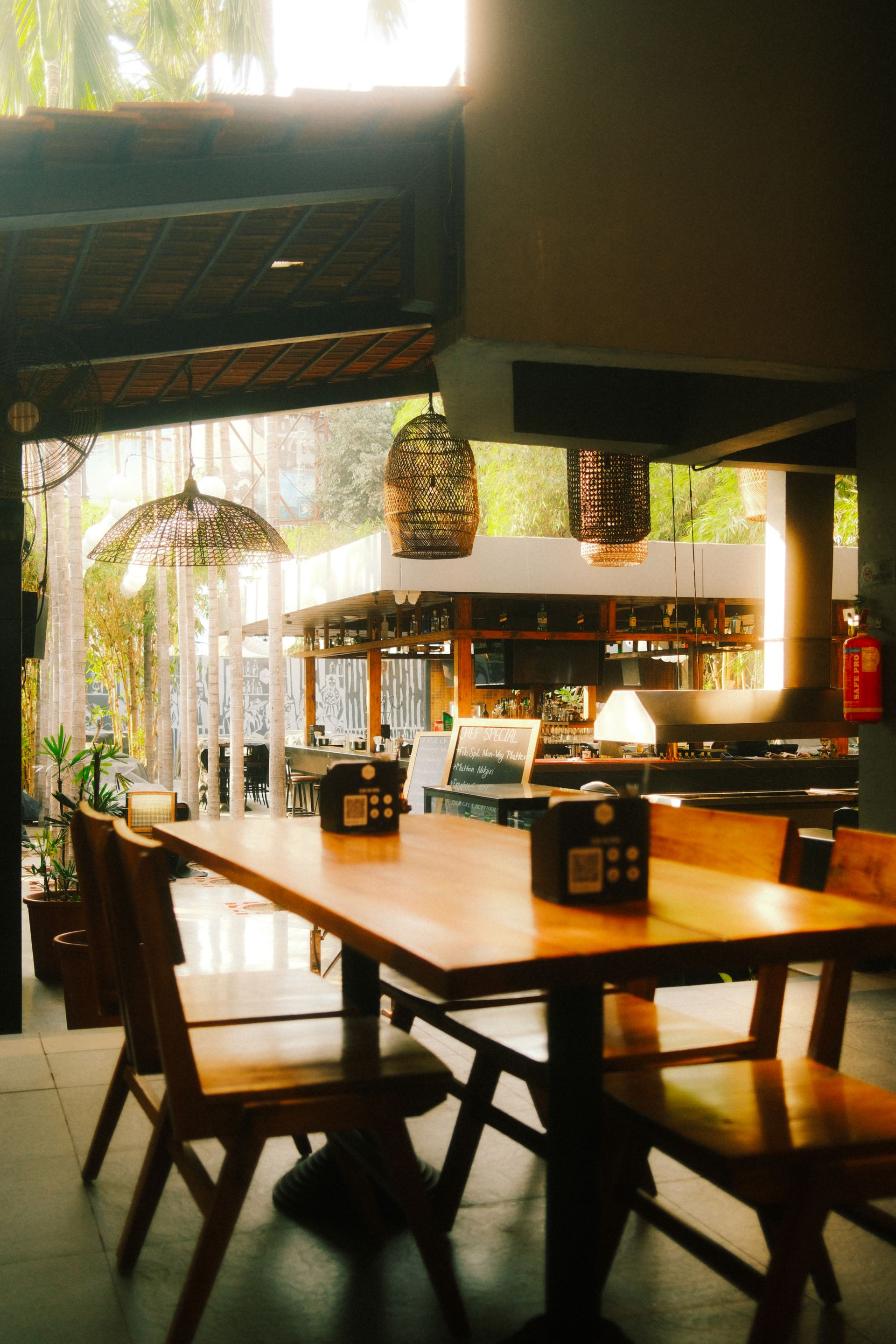
This guide It is different from phone food photography: the main subject here is not a single dish, but the environment the guest will encounter when entering the venue..
Three basic settings before shooting
Light and time of day: Choose the time of day you truly want to show the restaurant at. Don't label a venue that gets daytime natural light as “our evening service.” Avoid using heavy filters to make a very dark image look like daytime.
Vertical frame: Vertical footage works well for Reels; still, shoot a wide shot that doesn't cut off the critical parts of the sign, table or entrance. A very wide camera angle can make the room and tables look bigger than they are.
Sound and privacy: The commercial use and license terms of any background audio used must be checked separately. Instead of recording customers' conversations or recognizable faces without permission, prefer permitted shoots at appropriate times.
10 real video plans that tell the venue's story
| Plan | Shot subject | What does it convey? | Risk of error |
|---|---|---|---|
| 1 | Exterior and signage | Helping people find the restaurant | Outdated/incorrect brand |
| 2 | First look from the door | Entrance experience | Very wide angle |
| 3 | Dining room overview | The venue's true size | Misleading framing |
| 4 | Table layout | Seating style | Unused space |
| 5 | Daylight or real lighting | Ambience character | Artificial day/night |
| 6 | Service corner | Operations view | Visible private work/data |
| 7 | Authorized team detail | Human effort | Footage usage permission |
| 8 | Signature product served in the venue | Relationship between food and setting | Product from a different branch |
| 9 | The venue's distinctive real detail | Decor/materials | Fake prop or filter |
| 10 | Location and brand end frame | How to get there? | Wrong link |
You do not have to shoot all ten shots on the same day. There is no need to film a section that the business does not open to visitors or cannot show for security or privacy reasons just to fill a video quota.
Sample 20-second atmosphere Reel
| Duration | Real footage | On-screen text |
|---|---|---|
| 0–4 seconds | Business sign and entrance | The restaurant's real name |
| 4–8 seconds | Overall, fixed view of the dining room | Short sentence describing the service format |
| 8–12 seconds | Table and real venue detail | The venue's distinctive feature |
| 12–16 seconds | Authorized service or signature dish | Real product/service |
| 16–20 seconds | Logo and location information | Current address/contact link |
These durations are an editing example, not a mandatory “ideal Reels length” set by the platform. If only photos are available, a moving visual story can be prepared, but it is not presented as if a physical camera walk-through was filmed.
Three practical camera movements with a phone
Fixed wide shot: Hold the phone steady with both hands or use a tripod. First, capture a few seconds of calm footage that introduces the venue.
Slow lateral movement: When panning left or right, keep the vertical lines at the edges of doors and tables as straight as possible. Speeding up the movement later can create an uncomfortable effect in the footage.
Measured zoom-in: A gentle move toward a real service item tells the small detail, but be careful not to make the seating area look different from how it is by using the phone's ultra-wide lens.
With every movement, the goal is not to show a cinematic effect but to clarify what the guest will actually see.
Can a lively atmosphere be created without showing customers?
Yes. Strong visual storytelling is possible without the venue's light, real tables, service preparation, authorized team details, and accurate ambient sound. To create a sense of crowd, you do not need to generate artificial customers or combine customers from different days as if they were a single event.
If guests are present on shoot day recognizable footage of people, audible private conversations and personal documents require separate review of appropriate permissions and data processing conditions. If such recording is not needed, choosing a shooting time when no people are present may be a simpler solution.
What should we do if the same venue has two branches?
One branch's exterior, garden or open kitchen should not be used to promote another. Every file should be labeled with the branch code, shooting date and venue area. The central logo and brand tone can be shared; physical reality is specific to each branch.
Approval matrix for two branches in the restaurant branch social media guide is covered separately.
Which questions do we use to review the video's performance?
Reels views, saves and profile visits are content signals; they are not a direct count of table reservations or register sales. Whether the guest understands better how to reach the venue, and whether wrong-address or wrong-hours questions decrease, are business questions that can be reviewed separately.
NEFES turns real recorded videos, accurate venue/branch information and brand memory into post, Story and Reels storytelling. Final check: Do the entrance, tables, lighting and service in this video really belong to this restaurant and this branch?
Adapt this guide to your business
Shoot three fixed shots while the venue is empty: the entrance, the main seating area and a distinctive detail. Instead of repeating the same movement several times, show the viewer new information in each shot.