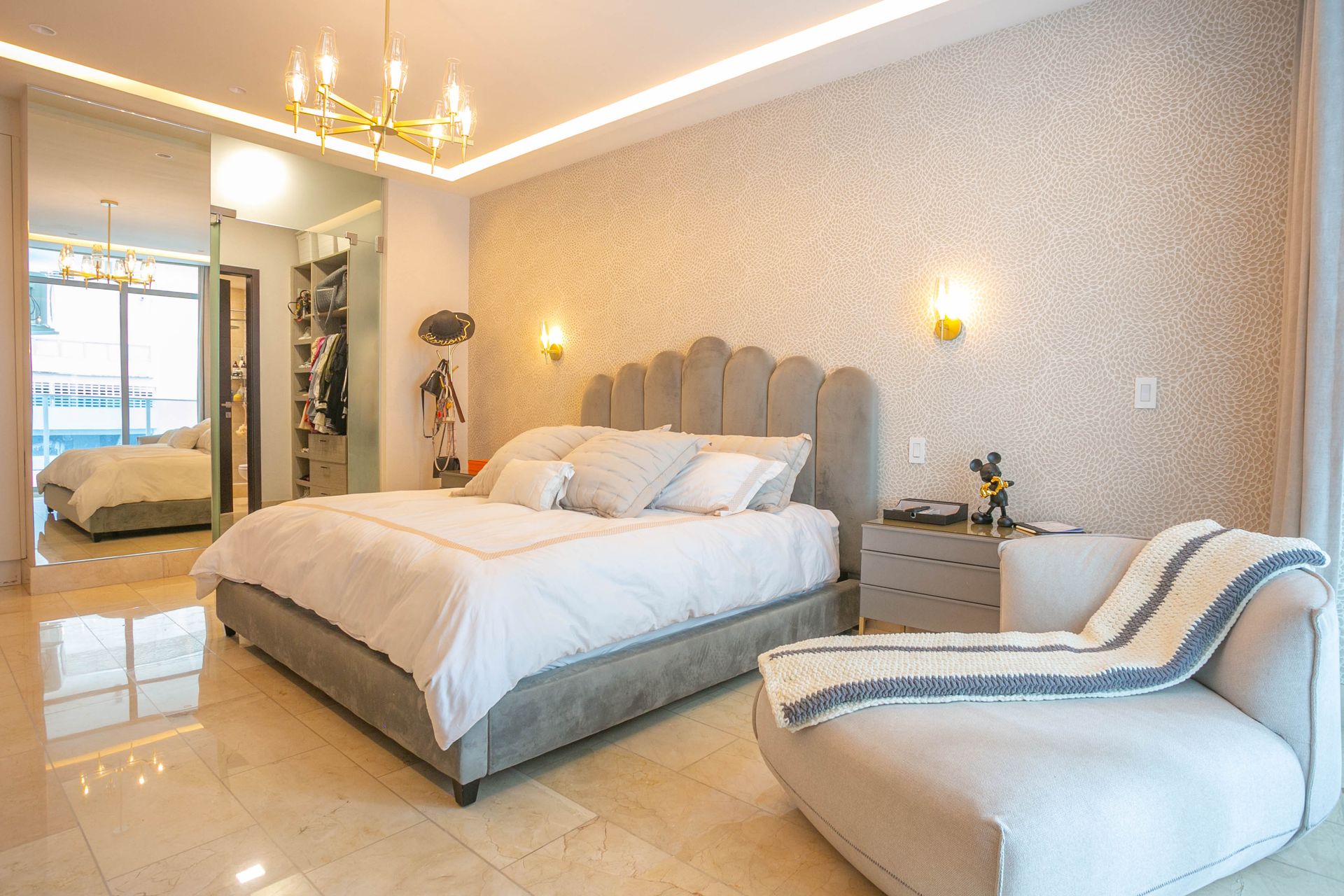
First, match room types with photo usage
Mixing up two different room types in the same gallery is one of the most common promotional errors to avoid. Record the room type, shooting date, floor/location, rights holder and, if applicable, the season for each photo. For example, do not use a photo of a garden-facing room in an announcement for a sea-view room.
Captions should directly answer these four questions: Which room is this? What does it actually include? What can be seen from the window? Which condition of the stay applies? Exact pricing or availability is based on the current reservation record, not on this photo file.
24-frame shoot matrix for a boutique hotel
| Photo | Count | How to shoot it? | What question does it answer for the guest? |
|---|---|---|---|
| Exterior and entrance | 2 | In daylight, with the real sign | Will I be able to find the hotel? |
| Reception/welcome | 2 | Eye-level from the entrance | What is the arrival experience like? |
| Standard room overview | 2 | From the corner and from the door, at a true-to-life angle | How is the room laid out? |
| Standard room details | 2 | Bed, desk/work area | What is available? |
| Upper room type / suite | 2 | Only if this type actually exists | How do the room types differ? |
| Room bathroom | 2 | Clean and straight, with no exaggerated wide-angle | What are the bathroom conditions? |
| Window/balcony view | 2 | The angle actually seen from the room | What will I see? |
| Breakfast area | 2 | Actual service layout | What is the breakfast setting like? |
| Current breakfast presentation | 2 | Products served that day | What is being served? |
| Common area | 2 | If there is a lobby, courtyard or terrace | Where will I spend time? |
| Team / service detail | 2 | Authorized and natural working moment | What is the hotel's service character? |
| Hotel surroundings/transport | 2 | Actual road and external connection | How will I recognize the location? |
Total: 24 frames. This number is not a rule to be applied identically in every hotel. For example, if there is no suite, allocate those two frames to accessibility, parking or other real facilities. The goal is not many photos, but enough clarity to set the right expectations.
Four camera principles when shooting with a phone
1. First, correct the lighting. Open the curtains and try to capture consistent natural light. Reduce exposure that blows the window out to pure white or makes the room look too dark.
2. Keep verticals straight. If door edges and wall lines are bent, level the phone. Avoid an unnecessarily wide angle that makes the room look bigger than it is.
3. Keep to what is physically there. Existing pillows, lamps, chairs and décor may be arranged; however, adding a pool, balcony or view that does not actually exist to a photo damages trust.
4. Do not forget the season label. A summer pool or winter fireplace photo should not create an implied promise that the service is available on every date; the relevant seasonal condition should be stated clearly in the text.
A workable flow for one shoot day
| Duration | Task | Check |
|---|---|---|
| First 15 minutes | Matching room types and permissions | No personal items or people in the image |
| 15–45 minutes | Rooms and bathrooms | Room type labels are correct |
| 45–60 minutes | Common areas and entrance | The property's actual location |
| 60–75 minutes | Breakfast and details | Served products are real |
| Last 15 minutes | Missing list and file names | Source archive complete |
The durations are a sample shoot plan; they vary depending on the number of rooms, the lighting and staff access at the property.
Is the same photo used for Google Maps and Instagram?
The original source photo may be shared; each channel's needs differ. For Google Business Profile photos, it is recommended to use a sharp, well-lit frame that does not alter the reality of the space with excessive filters or AI. On Instagram you can present the same frame within a visual design suited to the brand, but you should not change the actual appearance of the physical property. Google's photo guidelines also recommend using images that differ from room and common-area shots: Google Business Profile photo types.
How do you name files after the shoot?
For example oda-standart-yatak-2027-01.webp, oda-deluxe-pencere-gercek.webp, otelin-girisi-gunduz.webp use descriptive file names such as these. Year information is added only if it actually helps track the real shoot date or period; no mechanical numbers are added for SEO. The usage rights of each image and the room type it belongs to are recorded.
How does NEFES use the photo archive?
NEFES, from the boutique hotel's real photo pool, shows which frame conveys which room and which guest question and establishes that relationship. Room presentations, Reels, Stories, Instagram content and up-to-date menu and property information come together in the same brand memory. In this way, quality frames form a regular, verifiable accommodation narrative rather than random posting.
Shoot-day final checklist
- Is each room type represented only by its own image?
- Is there any implied view, pool, extra bed or comfort that does not exist?
- Have the necessary permissions been checked for identifiable people and private areas in the images?
- Does the transportation or location image actually belong to the property?
- Are breakfast and additional services actually offered on the date the photo shows?
- Were the correct source and usage rights maintained for the Instagram and Google images?
Adapt this guide to your business
Before shooting begins, write the room name and shoot date in the file folder. Complete the wide-angle, bed, bathroom and window views for the same room; do not fill a missing frame with an image taken from another room.