For a hotel profile, start with ownership and verification
The business profile should be managed by the hotel's authorized person or company account. Ownership of the existing property listing on Maps is verified; the hotel's account is not transferred to an agency just because an agency manages it. Google's help document specific to hotels explains the importance of verifying the hotel listing in order to edit profile information and respond to reviews: Google: Hotel Business Profile.
Information to verify in one central place: the real trading name, address, phone number, website, accommodation type, check-in/check-out times, facilities that are actually available, and the correct channel customers will use to get in touch.
Five-section checklist
| Section | Check question | Practical fix |
|---|---|---|
| Identity | Are the business name and category actually correct? | Match with the brand and property type |
| Contact | Do the phone number, website and directions work correctly? | Fix broken URLs and incorrect location |
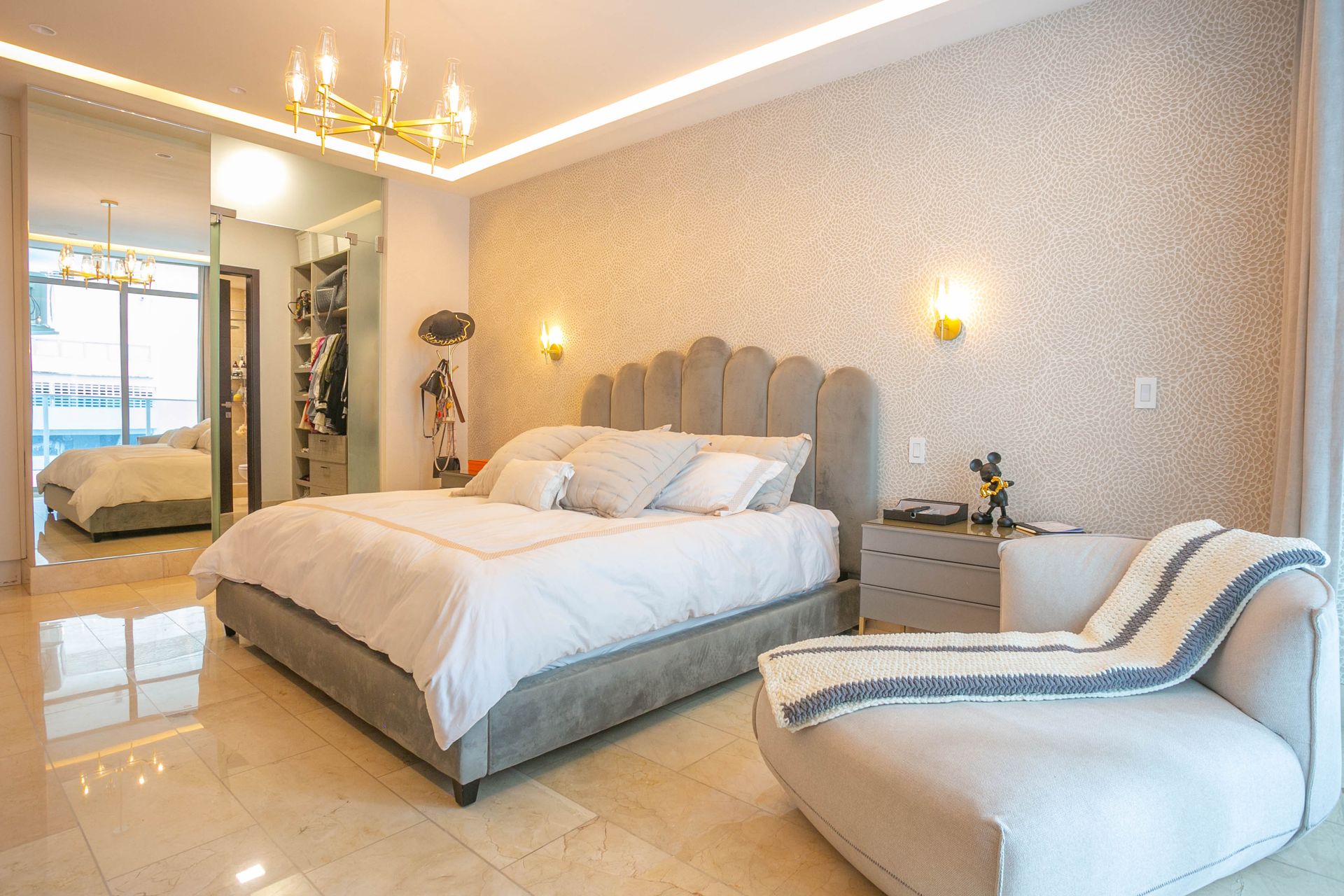
| Rooms | Which photo represents which room type? | Assign to the real room category |
| Services | Are breakfast, parking, accessibility or the pool really available? | Update based on actual conditions |
| Reviews | Are genuine guest experiences being answered carefully? | Reply briefly and respectfully, without personal data |
Whenever any image or facility feature changes, check the real source first. A photo taken from another hotel or an artificially extended view can distort guest expectations in the name of looking good.
The special logic of hotel photos on Google
Google's business photo guidelines explain the role of real room, common area, exterior and team photos for hotels. They particularly emphasize that room images help guests form expectations that match reality: Google: Business-specific photo recommendations.
A good set of sources: a different angle for each key room type, real common areas such as breakfast and the lobby, an exterior recognizable when approaching the property, and an authorized team photo. Room types should not be mixed up with one another.
Visual design and brand copy can be used on Instagram. For a hotel's Google Business Profile, use room photos that are in focus, well lit and faithful to the space. Avoid excessive editing that changes what guests can expect.
Important difference: a Google post for a hotel is not the same as an Instagram campaign
While Google allows hotel businesses to share informative local updates on their Business Profile, it restricts hotel posts that include discounts, promotions, special offers or links to them, so an “early booking discount” card prepared for Instagram should not be automatically copied to a hotel post on the Google Business Profile. Follow the channel's own current policy: Google: Hotel posts policy.
Instead, suitable informative content such as the property's real news, accurate information about services, and non-misleading images can be used on the Google profile. When the subject is paid advertising, a price list, or the hotel's own website, a separate channel and a review of current rules are required.
How should negative reviews be answered?
Reply calmly, briefly and specifically to the topic. Do not share the guest's booking number, identity via room number, or payment information in a public review response.
Example 1 — noise: “Thank you for sharing your experience. We are reviewing your feedback about noise with our team. For details, you are welcome to contact us directly.”
Example 2 — room expectations: “We are sorry to learn that your room experience did not meet your expectations. We would like to look into which room type and date you are referring to through a private communication channel.”
Example 3 — positive review: “Thank you for your kind feedback. We would be delighted to welcome you again.”
Do not try to remove every negative review. Google only offers the option to report reviews that violate its content policies: Managing Google reviews.
What not to do when collecting reviews
It is permissible to invite real guests to leave a review; however, asking for reviews in exchange for a discount, free service or payment, offering a reward for removing a negative review, or selectively asking only positive guests to review violates Google's rules. Google also explains the use of an ethical review link and QR codes: Google's review policy.
This rule is especially important for hotels; a fake method that boosts the rating in the short term can lead to trust and profile problems in the long term.
Matching information between social media and Maps
NEFES manages a boutique hotel's real photos and approved address/hours/service information together within its brand memory. The Instagram room story, the room types shown on the Google profile and the descriptions on the hotel's own website should all describe the same real property.
Monthly quick check: is the address/website active; are the images of the most popular room type up to date; has any incorrect outdated price or campaign text been left; are new genuine reviews being answered; are the Google-specific hotel post rules being followed?
This guide can be used to manage the hotel's profile correctly. Technical authorization and the scope of third-party automation are verified separately; a sample profile audit is not considered complete without real profile access.
Adapt this guide to your business
Keep the hotel’s location and service details consistent across its website and map listing. NEFES GEO analysis (Turkish) offers a starting point for reviewing this presence alongside AI answers; it is a separate assessment from booking results.
Open and check the phone number, location and booking link as a visitor would. Sort the photo archive by room type; take care not to show the same view as if it were a shared feature of all rooms.